
 English
 简体中文
简体中文 Русский
 Français
 Português
 Español
For newly onboarded warehouse staff with no prior experience operating electric material handling equipment, getting familiar with electric pallet truck controls is the first critical step to complete daily cargo transport tasks safely and efficiently, without the risk of accidental collision or cargo damage caused by unskilled operation.
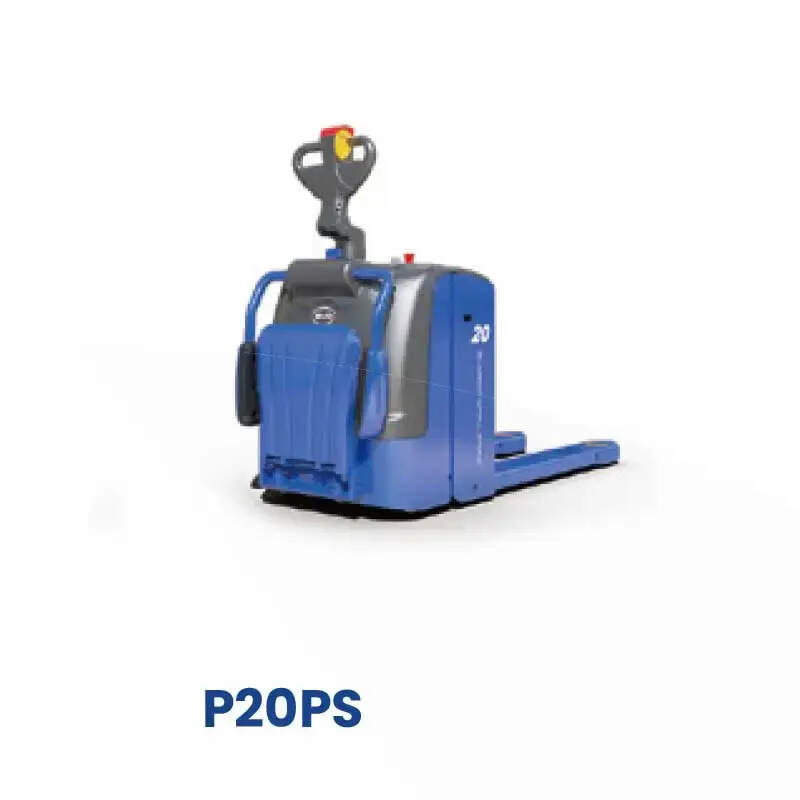
First, start with pre-operation control checks before you officially start any task. The most important component to recognize is the prominent red emergency stop button, usually placed on the top of the operation tiller or the side of the vehicle body. Pressing this button will cut off all power output of the equipment immediately, which is the first response you need to make when there are unexpected obstacles on the travel path or surrounding staff accidentally enter the operation area. Next, locate the key access switch on the control panel: turn it clockwise gently to power on the whole device, and remember to turn it back to the OFF position and pull out the key after you finish the shift, to prevent unauthorized personnel from starting the equipment by mistake.
Then get familiar with the core operation controls on the tiller. The two thumb-operated rotating wheels on both sides of the tiller handle are responsible for driving direction adjustment: turn the right wheel forward to move the pallet truck ahead, turn the left wheel backward to drive in reverse. The rotation angle directly adjusts the traveling speed. For new operators, you can keep the rotation angle small at the initial practice stage, to drive at low speed and get used to the equipment's response rhythm. The two buttons marked with upward and downward arrows on the tiller control the lifting and lowering of the forks: press the upward button to lift the loaded goods, and press the downward button to put the forks down slowly. For normal traveling status, keep the forks 10 to 15 cm above the ground, never drive with forks lifted high, which may cause the goods to slip and fall accidentally.
You also need to remember the functional controls for safety protection. The special turtle-shaped speed limit switch can lock the equipment at a low traveling speed, which is very suitable for you to turn on when you pass narrow aisles, work in busy picking areas with many walking staff, or transport fragile goods. The horn button on the top of the tiller needs to be pressed actively when you pass blind corners, warehouse entrances and areas with blocked sight, to send a clear reminder to surrounding personnel to avoid collision risks.
For first-time operators, it is not recommended to carry heavy cargo for formal operation until you finish 2 to 3 hours of no-load low-speed practice. Once you can master all control functions smoothly, you will be able to adapt to different warehouse operation scenarios easily, reduce unnecessary operation errors, and finish daily material handling tasks stably.


